
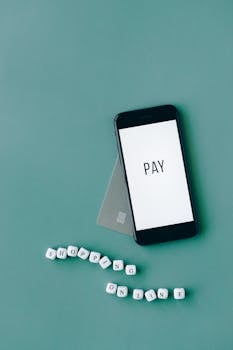
Principais serviços de pagamento digital para transações seguras
Graças aos avanços tecnológicos, fazer compras tornou-se muito mais conveniente. Serviços de pagamento digital confiáveis garantem transações sem dinheiro mais seguras e práticas para todos, todos os dias.
Escolher uma plataforma confiável para seus pagamentos digitais é importante, seja para compras online, pagamento de contas ou para dividir a conta do jantar com os amigos. Segurança e simplicidade são tão importantes quanto a velocidade.
Vamos explorar como os serviços de pagamento digital se destacam, quais deles tornam as transações mais seguras e quais medidas você pode tomar para proteger sua carteira digital a partir de agora.
Protegendo suas transações com recursos de ponta
Para pagamentos online mais seguros, é fundamental entender quais ferramentas de segurança estão integradas aos serviços de pagamento digital. Os recursos certos ajudam a prevenir fraudes e a proteger seu dinheiro.
Utilizar plataformas robustas coloca os serviços de pagamento digital ao seu lado, atuando como um guardião digital. Saber quais recursos realmente importam torna cada transação mais confiável e livre de estresse.
Autenticação em camadas para maior segurança da conta
A autenticação multifatorial exige algo que você sabe, como uma senha, e algo que você possui, como seu celular para receber um código. Essa segunda etapa aumenta consideravelmente a segurança da conta.
Quando os serviços de pagamento digital solicitarem a configuração da autenticação em duas etapas, sempre aceite. Imagine uma porta trancada que requer duas chaves diferentes — é isso que você está criando para seus fundos.
Cada camada adicional torna o acesso não autorizado muito mais difícil. Você perceberá que os guias de configuração de segurança frequentemente enfatizam isso como a principal recomendação para pagamentos online mais seguros.
Criptografia: a fechadura invisível dos seus fundos
A criptografia robusta embaralha seus dados durante cada transação. A maioria dos principais serviços de pagamento digital utiliza criptografia padrão do setor para transformar dados confidenciais em código ilegível para qualquer pessoa, exceto o destinatário pretendido.
A analogia da chave e da fechadura se encaixa perfeitamente. Imagine lacrar uma carta em um cofre antes de enviá-la, de forma que somente o destinatário saiba como abri-la. Isso torna a interceptação inútil para os cibercriminosos.
Consultar as configurações do serviço ou as perguntas frequentes geralmente revela qual protocolo de criptografia uma plataforma utiliza. Em caso de dúvida, escolha serviços de pagamento que mencionem “criptografia de ponta a ponta” ou “SSL de 256 bits” em sua documentação.
| Serviço | Autenticação | Nível de criptografia | O que experimentar a seguir |
|---|---|---|---|
| Serviço A | Autenticação de dois fatores (código SMS) | SSL de 256 bits | Ative os alertas para cada compra nas suas configurações. |
| Serviço B | Biometria + PIN | De ponta a ponta | Ative o login por impressão digital para desbloqueios mais rápidos e seguros. |
| Serviço C | E-mail + Token do aplicativo | TLS 1.3 | Revise trimestralmente as listas de dispositivos confiáveis para garantir a precisão. |
| Serviço D | Senha de uso único | SSL de 128 bits | Configure o envio da senha pelo aplicativo, não por SMS. |
| Serviço E | Autenticação de aplicativo | SSL de 256 bits | Atualize o aplicativo regularmente para obter correções e novos recursos. |
Adotando hábitos inteligentes para segurança diária
Hábitos de segurança podem determinar o sucesso ou o fracasso da segurança dos seus serviços de pagamento digital. Medidas práticas e sustentáveis são a sua melhor defesa contra ameaças imprevistas.
Tornar esses hábitos rotina permite que você identifique problemas antes que se agravem e se recupere rapidamente de pequenos deslizes. Pense nisso como uma lista de verificação diária que você pode dominar.
Atualizar os aplicativos é fundamental para a segurança.
Os serviços de pagamento digital melhoram a cada atualização, principalmente no que diz respeito à correção de vulnerabilidades. Acesse a loja de aplicativos do seu dispositivo e ative as atualizações automáticas. Isso garante que nenhuma correção importante seja perdida.
Permitir que os aplicativos sejam atualizados reduz os riscos, mesmo quando você está ocupado. Adiar as atualizações dá aos criminosos mais tempo para explorar códigos antigos — deixe seu telefone fazer o trabalho enquanto você cuida da sua vida.
- Ative as atualizações automáticas para que cada correção chegue ao seu dispositivo sem nenhum esforço da sua parte, mantendo você à frente de possíveis riscos sem qualquer complicação.
- Se você usa planos de dados limitados, execute verificações manuais de atualizações todos os meses. Confirme se você não está perdendo patches importantes ou novos recursos destinados à sua região.
- Cadastre-se para receber notificações de serviço nas configurações do seu aplicativo. Seja alertado assim que uma atualização importante for lançada ou as recomendações de segurança forem alteradas.
- Exclua aplicativos de serviços de pagamento digital não utilizados para reduzir o risco geral de softwares desatualizados e vulneráveis permanecerem em seu dispositivo.
- Incentive seus amigos e familiares a atualizarem também. Quanto mais seguros os dispositivos deles, menor a probabilidade de ataques de engenharia social atingirem você por meio de contas comprometidas.
Manter os aplicativos atualizados cria uma barreira digital muito mais difícil de ser superada ou contornada por agentes mal-intencionados, beneficiando tanto sua rede quanto você mesmo.
Verificar as permissões do aplicativo antes de concordar
Os serviços de pagamento digital às vezes solicitam mais permissões do dispositivo do que o necessário. Limitar o acesso a esses serviços reduz vazamentos de dados acidentais e impede que aplicativos maliciosos coletem informações adicionais sobre você.
- Verifique as permissões solicitadas ao instalar qualquer novo aplicativo de pagamentos digitais. Recuse o acesso à câmera ou ao microfone, a menos que um recurso de pagamento específico o exija para fins de identificação.
- Revise as configurações de permissão trimestralmente, pois as atualizações de aplicativos podem alterar silenciosamente as solicitações de dados. Abrir as configurações do seu telefone regularmente permite que você fique ciente de qualquer excesso de acesso aos dados.
- Negue o acesso aos seus dados de localização, a menos que uma funcionalidade dependa das suas informações geográficas para notificações de segurança ou compras relacionadas a viagens, minimizando assim a exposição ao rastreamento de localização.
- Desative o uso de dados em segundo plano se não precisar de notificações constantes. Restringir esse recurso limita o vazamento de dados em segundo plano e proporciona tranquilidade ao usar redes Wi-Fi públicas.
- Remova os aplicativos que continuam solicitando permissões desnecessárias e mude para serviços de pagamento digital com uma política de privacidade transparente e maior controle para o usuário.
Sua privacidade vale o esforço — restrinja as permissões antes que elas se tornem um problema e você controlará quais dados permanecerão seus.
Testar os serviços de pagamento antes de comprometer fundos
Colocar um novo serviço de pagamento digital em fase de "teste" ajuda a garantir sua segurança antes de adotá-lo como plataforma principal.
Comece vinculando uma conta secundária em vez de sua conta principal. Dessa forma, você só arriscará o que pode perder durante a avaliação.
Verificando os recursos de segurança em ação.
Após configurar sua conta de teste, inicie uma pequena transação. Preste atenção especial às telas de pagamento criptografadas, às solicitações de autenticação de dois fatores e às mensagens de confirmação claras do serviço.
Anote quais etapas lhe deixam inseguro(a) ou quais telas de segurança parecem muito breves ou confusas. Dê atenção especial às etapas que refletem seus hábitos ou necessidades diárias reais.
Se algo parecer estranho, pare e consulte a central de suporte para esclarecimentos. Serviços de pagamento digital confiáveis oferecem instruções claras para cada etapa, aumentando ainda mais sua confiança.
Avaliando a experiência e a capacidade de resposta do cliente.
Teste os tempos de resposta do suporte ao cliente enviando uma pergunta de segurança de exemplo tarde da noite ou fora do horário comercial. Observe tanto o tom quanto a rapidez da resposta.
Avalie se os agentes usam uma linguagem precisa e baseada em cenários. Procure por números de referência claros e sugestões de próximas ações para o seu problema, em vez de promessas vagas.
Bons serviços de pagamento digital respondem de forma rápida e clara, sempre oferecendo suporte com conselhos passo a passo que parecem práticos e nunca genéricos. Guarde os e-mails com as dicas para consultas futuras.
Comparando taxas de transação, limites e políticas de proteção
Entender as letras miúdas é fundamental para economizar dinheiro e evitar disputas. Cada serviço de pagamento digital possui políticas distintas para cobranças, reembolsos e tratamento de reclamações.
Ao acompanhar essas políticas, você ganha poder de escolha para selecionar a plataforma mais econômica e evitar taxas desnecessárias que podem se acumular em dezenas de pequenas compras.
Análise das estruturas de taxas e dos prazos do processo de reembolso
Verifique tanto as taxas de transação divulgadas quanto as letras miúdas em busca de taxas "adicionais", como conversão de moeda ou custos de estorno. Liste-as ao lado de cenários de uso reais.
Por exemplo, se você planeja transferências semanais entre pessoas, some o custo anual — não apenas as taxas por transação. Pequenas taxas rotineiras podem se acumular silenciosamente.
Preste atenção especial aos prazos de reembolso após pagamentos contestados. Um processamento rápido significa menos estresse e maior confiança na compra. Prefira serviços que anunciem prazos fixos para reembolso.
Entendendo as proteções do vendedor e do comprador
As políticas de resposta a fraudes variam muito entre as plataformas. Alguns serviços de pagamento digital oferecem "responsabilidade zero" para cobranças não autorizadas, enquanto outros limitam o reembolso ou exigem provas detalhadas.
Veja quem decide as disputas finais: regras de IA, agentes humanos ou ambos. Termos transparentes e de fácil acesso são um sinal positivo. Salve as páginas de políticas nos seus favoritos para consulta rápida no futuro.
Se você vende produtos, verifique se as proteções ao vendedor equilibram os direitos do comprador. Nenhuma política é perfeita, mas uma cobertura clara e compreensível gera confiança para todas as partes em um mercado digital.
Monitorando sua própria pegada digital
Manter um registro das suas transações ajuda a identificar fraudes rapidamente e simplifica a declaração de impostos ou despesas. A maioria dos principais serviços de pagamento digital inclui ferramentas de exportação, alertas e resumos mensais.
Configurar notificações personalizadas para atividades incomuns cria um sistema de alerta precoce pessoal — pense nisso como um detector de fumaça para sua saúde financeira.
- Agende exportações mensais em PDF dos seus serviços de pagamento digital preferidos para sua pasta segura na nuvem ou unidade de backup, facilitando muito as revisões.
- Defina limites de transação personalizados ou alertas para compras individuais e gastos totais por dia. Isso ajuda a detectar erros e usos incomuns da conta em minutos.
- Ative os recursos de identificação do comerciante, quando disponíveis, para que cada transação seja imediatamente associada a uma loja ou serviço reconhecível, em vez de um código vago.
- Resuma os totais semanais com capturas de tela em planilhas para identificar tendências de crescimento. Essa etapa adicional revela tanto assinaturas não pagas quanto faturas inesperadas e elevadas.
- Incentive familiares ou sócios a compartilharem o acesso aos seus resumos mensais, criando uma cultura de transparência e proteção mútua nos gastos do grupo.
Como escolher o serviço de pagamento digital certo para você
A escolha deve levar em consideração não apenas seu estilo de vida, mas também sua familiaridade com a tecnologia. Os serviços de pagamento digital oferecem experiências ligeiramente diferentes para transações entre pessoas físicas, comércio eletrônico e necessidades empresariais.
O período de teste gratuito ajuda a determinar quais aplicativos se encaixam nos seus padrões de compra naturais. Se uma plataforma parecer confusa ou lenta, considere alternativas que reflitam seu estilo pessoal e suas prioridades.
Testando a usabilidade e a conveniência
Execute tarefas diárias — compras de supermercado, dividir a conta do almoço, pagar as contas de serviços públicos — com cada serviço em disputa. Observe quais tarefas exigem etapas adicionais ou resultam em esperas mais longas por e-mails de confirmação.
Se algum aplicativo interromper você solicitando permissões sem explicação, revise as configurações imediatamente. Lembretes transparentes geram confiança, enquanto pop-ups com linguagem confusa são sinais de alerta.
Mantenha suas principais atividades de pagamento na plataforma que você mais gosta de usar e sempre monitore o backup que você configurou anteriormente em caso de interrupções ou atualizações.
Cenário: Ajudando um familiar idoso a começar
Se você precisar ensinar um parente que é novo em pagamentos digitais, escolha uma plataforma conhecida por seus menus simples e opções de fonte grandes. Sentem-se juntos e simulem uma transação.
Explique verbalmente cada aviso de segurança, descrevendo quaisquer ícones que possam causar confusão. Tornar as etapas de segurança rotineiras aumenta o engajamento e a independência futura.
Armazene capturas de tela da configuração em uma pasta compartilhada para que possam consultá-las posteriormente. Incentive-os a fazer perguntas sempre que um alerta desconhecido aparecer, desenvolvendo assim uma fluência mútua em segurança.
Segurança e conveniência trabalhando juntas
Os serviços de pagamento digital combinam conveniência com segurança robusta quando você escolhe as plataformas de forma intencional, fica atento aos hábitos e revisa regularmente as transações e a integridade do aplicativo.
Mantenha-se proativo ajustando as permissões de privacidade, mantendo os aplicativos atualizados e escolhendo a plataforma que melhor se adapta às suas necessidades e nível de conforto no dia a dia.
Seus hábitos e escolhas mantêm seus fundos mais seguros e sua vida digital mais tranquila. Transações seguras são hábitos que você pode levar adiante, um pagamento seguro de cada vez.


